Small business owner
Turn a casual product photo into a cleaner marketplace image with a simple background and balanced lighting.
You get a more consistent starting point for product listings without rebuilding the scene from scratch.
Guided visual work
Use plain-language direction to improve an image, test a visual variation, or prepare a cleaner asset. The workflow keeps your intent visible while assisting with routine changes.

Explore related paths
Different tasks call for different levels of control. These related guides help you move from a quick visual change to more focused text or background work.
Useful applications
The strongest results come from describing the part of the image that should change, the result you want, and any detail that must remain untouched.
Turn a casual product photo into a cleaner marketplace image with a simple background and balanced lighting.
You get a more consistent starting point for product listings without rebuilding the scene from scratch.
Create several visual directions from one campaign image, such as a warmer crop, a seasonal setting, or a stronger focal point.
You can explore concepts quickly before choosing which version deserves detailed manual editing.
Correct a small label, replace a short phrase, or prepare a graphic whose text needs clearer contrast.
You spend less time repeating small edits and more time checking whether the message remains readable.
Test a background variation or subtle atmosphere change while preserving the subject, composition, and overall mood.
You can compare a creative direction before committing to a more exacting edit.
Simple workflow
A short, specific instruction gives the system a useful starting point. Treat the first output as a direction to evaluate, not an automatic final.
Name the subject, the part that should change, and the intended result. “Replace the background” is useful; “make it better” is not.
Check edges, faces, text, shadows, and important objects. Look for changes that were not part of your request.
Ask for a single correction at a time, such as restoring a logo, reducing blur, or keeping the original color of the product.
At a glance
These reference points keep the workflow grounded: the site serves six locales, the process has three practical stages, and the comparison below shows two visual states.
Visual check
A before-and-after view makes unintended changes easier to spot. Compare the subject, edges, text, and background rather than judging only the overall impression.
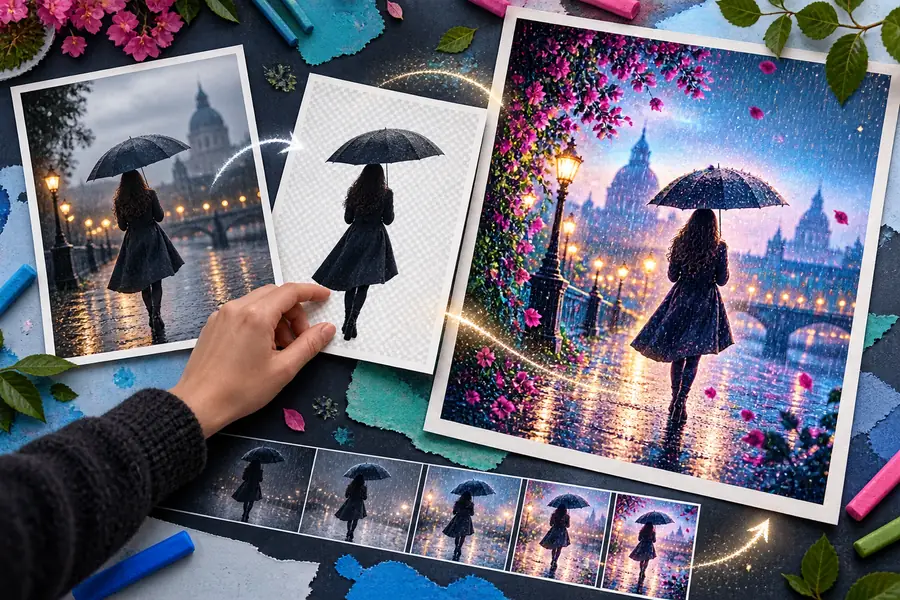
Use comparison to verify what changed and what stayed consistent.
OriginalEditedKnow the edges
Assistance is useful, but it does not remove the need for judgment. These limitations are especially important when an image carries factual, brand, or production requirements.
Letters, numbers, logos, and dense labels can be altered, softened, or replaced during an otherwise successful visual edit.
What to do instead
Inspect every text element at close range and use a text-focused workflow when wording is central.
Hair, transparent objects, thin lines, and complex silhouettes may blend into a new background or lose natural detail.
What to do instead
Use a simpler background first, then review the outline against a contrasting color.
A request to change lighting or mood may also affect color, shadows, facial details, or nearby objects.
What to do instead
Name what must remain unchanged and make one focused request per refinement.
A polished result can still contain an incorrect object, misleading context, or a visual detail that was invented during editing.
What to do instead
Keep the original beside the result and approve important images through a human review step.
Choose your level
Both approaches can belong in the same workflow. The better choice depends on whether speed of exploration or exact control matters most for the current image.
| AI-assisted workflow | Manual editing workflow | |
|---|---|---|
| Best starting point | A clear goal described in ordinary language | A defined edit with known tools and settings |
| Exploring variations | Useful for testing several creative directions | Slower when each variation must be built by hand |
| Exact typography | Needs close inspection and possible correction | More predictable for precise wording and layout |
| Complex selections | Can help with broad subject or scene changes | Better when edges and masks must be exact |
| Preserving every detail | May introduce unintended changes | More controllable when fidelity is critical |
| Learning curve | Natural-language instructions can shorten the first step | Requires familiarity with editing tools and settings |
| Final approval | Always benefits from visual review | Still requires review before publishing |
Make the next edit
Describe the result you want, review the variation, and refine only what needs attention. A focused prompt is usually more useful than a long list of unrelated requests.
Common questions
It can help explore changes such as backgrounds, lighting, color direction, crops, and selected visual details. The result should be reviewed carefully when text, faces, product accuracy, or brand elements matter.
No advanced software knowledge is required to describe a straightforward visual goal in ordinary language. More exact work may still benefit from manual editing skills and a careful review process.
Identify the subject, name the change, and state what should remain untouched. Specific directions such as “keep the product shape and label unchanged” are more useful than broad requests about making an image look better.
Not always. An assisted result may change small text, edges, shadows, colors, or nearby objects even when those changes were not requested, so compare it with the source before using it.
It is often useful for quickly testing ideas or handling broad changes, while manual editing is usually stronger for exact typography, detailed masks, and strict pixel-level control. Many projects benefit from using both approaches.