First-time photo editor
You need to improve a phone photo for a message, profile, or family album without learning a complex professional interface.
Use crop, light, and color adjustments in that order, then save a separate finished copy.
Beginner's guide
The best photo editing software for beginners should make everyday improvements understandable, reversible, and easy to repeat. Use this guide to choose an image editor by workflow rather than by a crowded feature list.
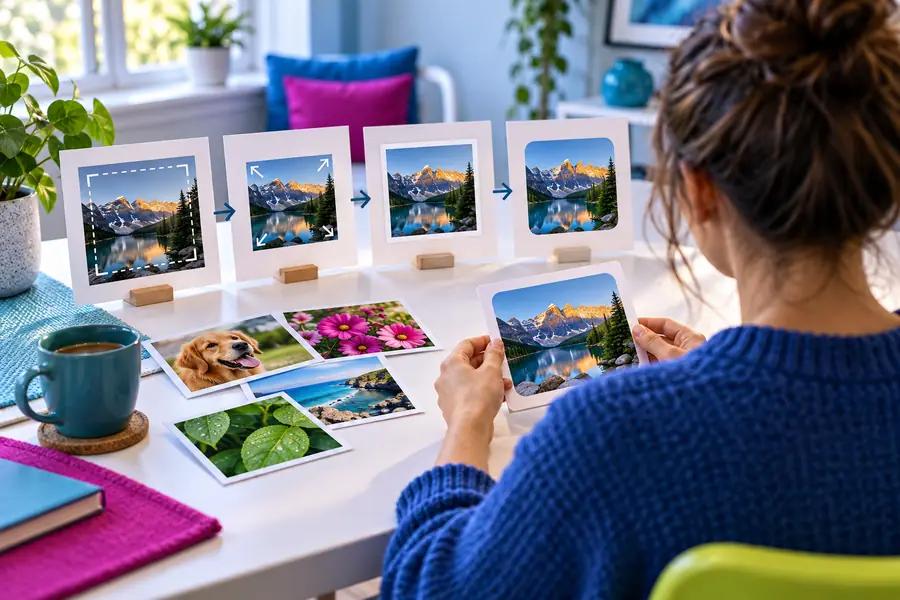
A useful image editor removes uncertainty at each step, but it cannot replace a clear goal or rescue every difficult source image.
Brightening shadows may reveal noise, while recovering clipped highlights may be impossible because detail was never captured.
What to do instead
Make a modest correction first, then compare the result with the original before adding more adjustments.
Automatic framing can miss the subject, cut off important context, or create an awkward composition.
What to do instead
Decide what the image needs to communicate, then use a simple crop with one clear focal point.
Heavy saturation, sharpening, or skin smoothing can make a technically clean image feel artificial.
What to do instead
Use small changes, pause between adjustments, and check the image at its intended display size.
Editing tools change individual images but do not automatically create a reliable naming, backup, or folder system.
What to do instead
Keep original files, use descriptive names, and separate working copies from finished exports.
Start with one repeatable task. These three beginner workflows cover the edits people most often need for personal, school, and small business images.
Open the image, choose the most useful frame, straighten visible lines, and leave enough breathing room around the subject.
Adjust brightness or exposure gently, correct an obvious color cast, and compare the edited image against the original.
Place a short title or label, choose readable contrast, check the edges, and export a copy while keeping the original intact.
A strong beginner result is usually a restrained improvement: clearer framing, more balanced color, and text that supports the image instead of competing with it.

Compare the overall message first, then inspect small details.
BeforeAfterYou need to improve a phone photo for a message, profile, or family album without learning a complex professional interface.
Use crop, light, and color adjustments in that order, then save a separate finished copy.
You have a poster, presentation image, or assignment graphic that needs readable text and a cleaner layout.
Start with the image dimensions, add one short text layer, and check legibility at normal viewing size.
You are ready for more careful edits and want to understand how a beginner workflow differs from a photo-focused one.
Build dependable habits first, then compare them with the needs covered by the best photo editing software for photographers.
Use this comparison to decide whether a simple image editor matches the job. The beginner choice is about clarity and control, not a promise that every advanced feature is included.
| Beginner-focused image editor | Advanced photo workflow | |
|---|---|---|
| Learning curve | Short sequence of familiar actions | More controls, panels, and concepts to learn |
| Best starting task | Crop, correct, annotate, and export | Detailed retouching, layered composites, or large batches |
| Feedback while editing | Easy to judge with simple before-and-after checks | More precise, but requires understanding what each control changes |
| File discipline | Keep the original and make a finished copy | May involve layered working files, versions, and export settings |
| Creative ceiling | Enough for everyday improvements and straightforward graphics | Better suited to complex masks, detailed retouching, and controlled color work |
| Decision priority | Choose the tool you will understand and use consistently | Choose the tool whose specialist controls match the project |
Bring one ordinary image and start with a clear goal: improve the crop, balance the color, or add a readable label. The right image editor should help you make a useful change without turning the first project into a course.
The best choice is the image editor that makes your most common task easy to understand and repeat. For many beginners, that means clear tools for cropping, light and color correction, text, and exporting rather than a large set of specialist controls.
Look for an uncluttered workspace, visible undo or comparison controls, straightforward crop and adjustment tools, and a way to preserve the original image. A short workflow you can repeat confidently is more valuable than a long feature list you rarely understand.
It can be, but the extra panels and concepts may slow down a first project. If you mainly need everyday corrections, begin with a simpler image editor and move to a more advanced workflow when a specific limitation affects your work.
Yes, provided the workflow keeps the source file separate from the working or exported copy. Save the original before editing, make changes in a new version, and use clear filenames so you can return to the starting image.
Choose one well-lit image and make three small changes: crop it, balance its brightness or color, and export a copy. This gives you a complete result while teaching the basic sequence used in many everyday edits.